
Cost - Carbon Analysis
Once the user reaches a reasonable connect rate in the model, they can perform an analysis of cost vs carbon. Because this simulation runs 9 different scenarios it takes longer than the single run Design Connection analysis. The analysis performed by the Qnect software analyzes millions of design scenarios for connecting the steel. It optimizes the joints to meet the design code requirements but also optimizes to least material cost. To compare the cost and embodied carbon of connections, 9 different connection strategies with bolt pairings are analyzed by material, fabrication, and installation.
The following sections explain how users set up the input parameters and visualize the cost vs carbon results in both graphical and report form.
Setting Cost and Carbon Factors
Users define values for unit costs and embodied carbon factors for a given project and can copy them for future projects. The cost factors include material costs, fabrication process costs (welding, coping, cutting, drilling/punching) and field activities (bolting and welding). The embodied carbon factors are organized using commonly known building lifecycle stages A1 (steel mill), A2 (mill to fab transport), A3 (fabrication processes), A4 (transport to site) and A5 (field activities like welding and bolting).
The A3 fabrication process values are quite specific and include shop welding, shop bolting, punching, drilling and coping tasks which all contribute to GWP emissions. It is estimated that the fabrication impact (A3) is about 10% of the overall embodied carbon impact (per AISC steel EPD reports). Qnect’s“bottom up” research of the energy used to perform fabrication processes estimates about half of this contribution vs A1 (see Appendix). Therefore default A3 carbon factors reflect this assumption. A3 values will be validated with machine vendors (FICEP, etc) in 2026 who are measuring energy consumption for the various tasks. A5 values for bolting and welding are estimates.
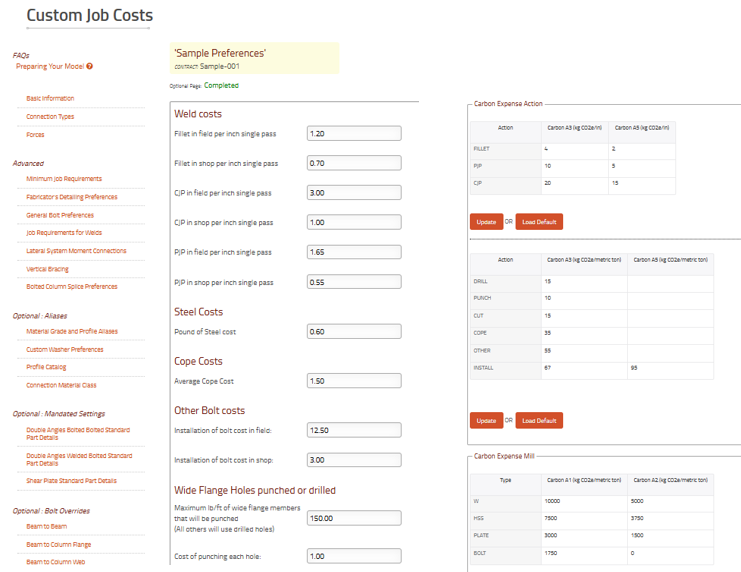
Figure: Cost & Carbon Factor Preferences
Analyze Cost-Carbon
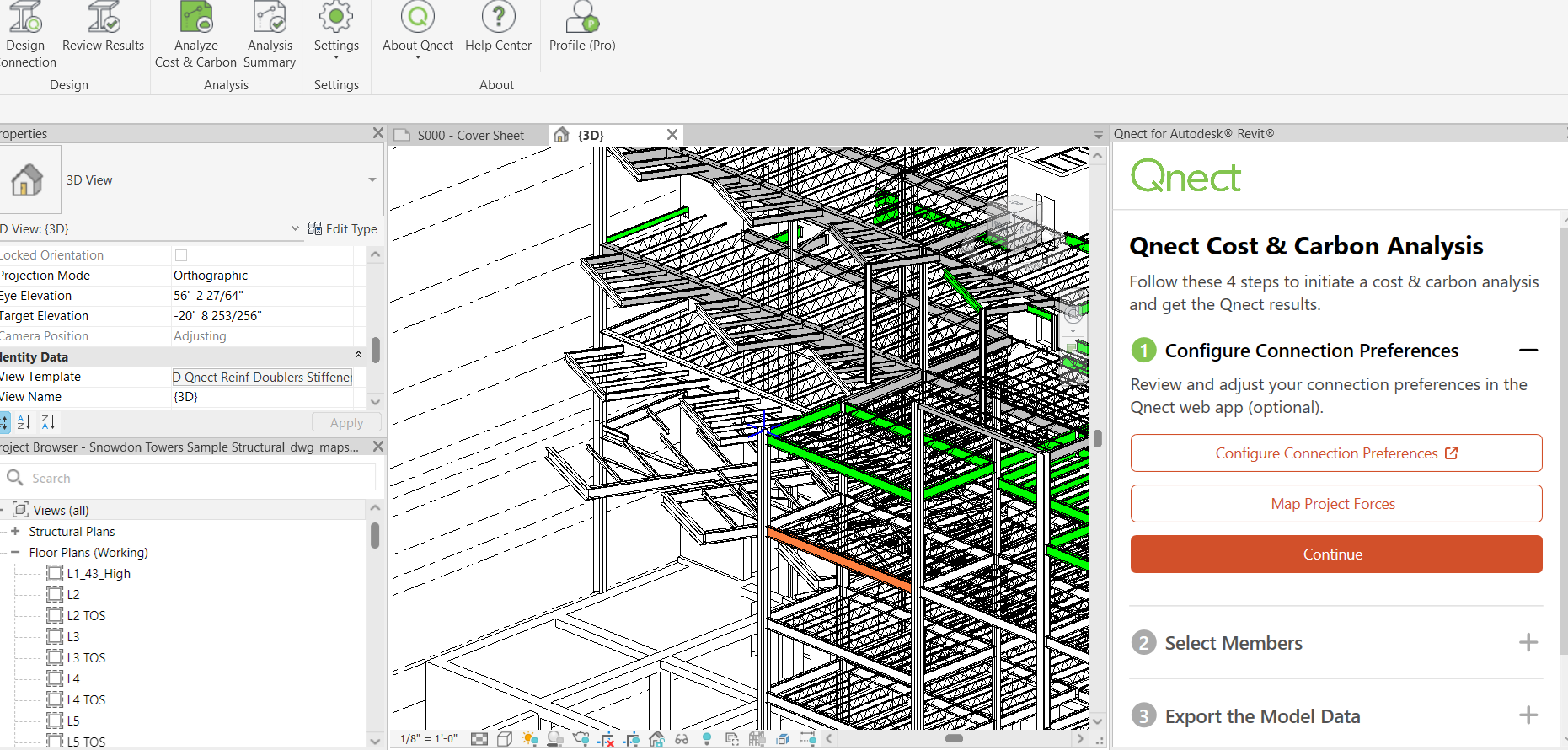
Run through same steps as the Design Connections. This time there should be no issues to resolve since it is assumed the user has worked through most of them. All successfully design connections will be used to generate cost-carbon data.