
Settings
Users can go right to the Design button to start the design process. However they can first go to the Settings ribbon to prepare the model.
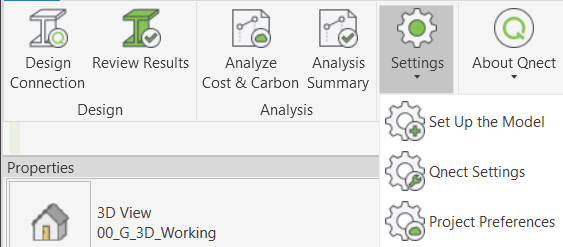
- The Revit model must be initialized with Revit parameters that will be populated by Qnect. These parameters are created to store analysis results and also user defined parameters define to perform the analysis.
- Select Settings > Set Up the Model. Qnect will add Qnect parameters to the structural family members.
- To map the beam end forces from existing Revit parameters, go to Settings > Qnect Settings These can be from either physical parameters or analytical parameters.
 Revit Parameters: For a more comprehensive description of the parameters copied into Revit, see Analysis Properties and Results documentation.